Warning: Only download and run these tools when instructed by a 4U Computers technician.
Windows
Remote Support Agent for Windows. Works for Windows 10 and Windows 11 (32-bit and 64-bit).
Mac
Remote Support Agent for Mac. Works on modern macOS devices (Apple Silicon / ARM64).
Running an Intel Mac? Click here.
Frequently Asked Questions
Installation Instructions
Step 1.
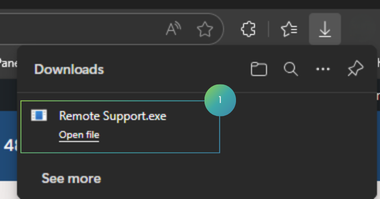
Hit the "Download for Windows" button. Then run the downloaded "Remote Support.exe".
Step 2.
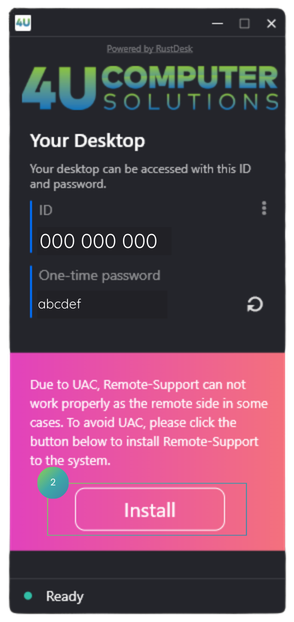
Once the tool is installed, hit the "Install" button inside the pink section. You might need to hit "yes" on a popup.
Step 3.
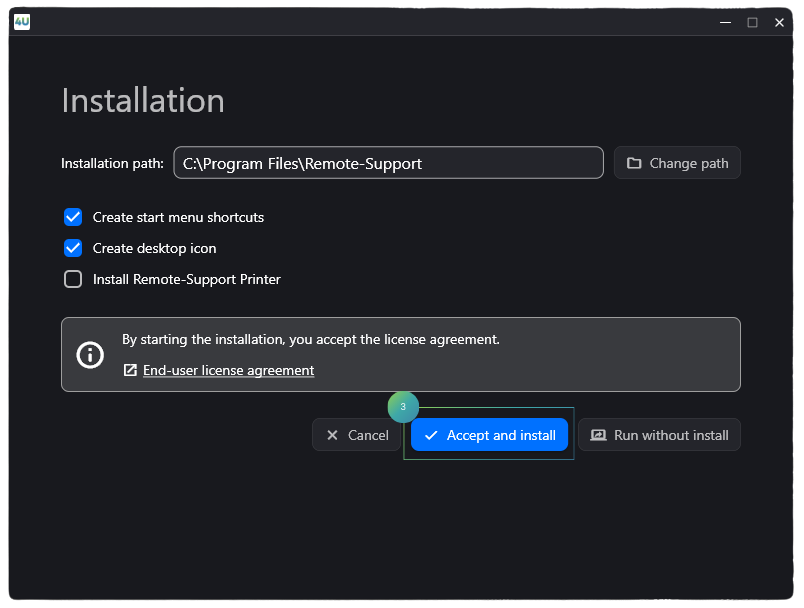
Click "Accept and install".
Step 4.
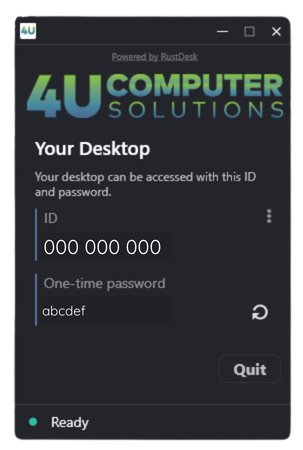
One of our technicians will ask for your ID shown on the Remote Support app.
Technical Support Request
Fill out the form below.